
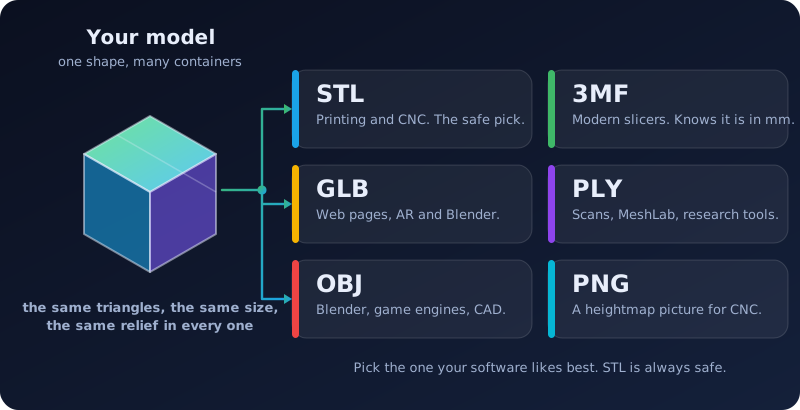
One model can be saved in many kinds of file. They all hold the same shape; they differ in what else they can remember and which programs like them best. This guide helps you pick the right one in a minute, with no alphabet soup to memorize.
The short answer
The formats side by side
| Format | Stands for | Best for | Remembers its units | Size next to STL |
|---|---|---|---|---|
| STL | Stereolithography | 3D printing and CNC. The safe choice. | No | The reference (50 bytes per triangle) |
| 3MF | 3D Manufacturing Format | Modern slicers | Yes (millimeters) | About a third |
| GLB | Binary glTF (Graphics Library Transmission Format) | Web pages, AR and Blender | Yes (meters) | A little smaller |
| PLY | Polygon File Format | Scans, MeshLab and research tools | No | About the same |
| OBJ | Wavefront Object | Blender, game engines and many CAD programs | No | About twice as big |
| Heightmap PNG | Portable Network Graphics | CNC programs that cut from a picture | Only in a note | Far smaller |
The sizes are for the same model, so a 9 MB STL comes out near 3 MB as a 3MF and near 19 MB as an OBJ. Bigger files are slower to open and to send, which is one reason to choose a compact format when you have a choice.
Is it really the same model?
Yes. Embossify builds the model once, as a grid of triangles, and then writes those same triangles into each file. The size, the relief height and every bump are identical, and the preview you see before you buy is true to all of them. What can differ is how a program draws it: some smooth the shading between triangles and some show each triangle flat, so the same model can look slightly different on screen. That is the program, not the file.
None of these formats carries color from your picture. Embossify turns brightness into height, so the model is one color, and you choose the material or paint when you print or carve it.
STL
The oldest and most universal format: a list of triangles and nothing else. Every slicer and CNC program opens it, which is why it is always included with an order. It has no units, so programs assume millimeters, and Embossify's files are in millimeters. Read more in What is an STL file? and stereolithography.
3MF
A newer format made for 3D printing. It is a small ZIP package that stores the triangles together with the fact that the numbers are millimeters, so a model never opens at the wrong size. It is usually about a third the size of the same STL, which makes it quick to move around. PrusaSlicer, Bambu Studio, Cura, Fusion and Windows 3D Builder all read it. If your slicer offers a choice, 3MF is a good default for printing.
GLB
The "JPEG of 3D" for the web. A single, compact file that web viewers, augmented reality apps, Blender and many game tools load directly. Its units are meters and its up direction is Y, so Embossify converts the model to match: a 100 mm relief arrives as 0.1 meters, standing the right way up. Embossify's GLB shows each triangle flat, which suits a sharp relief.
PLY
The Stanford format, common in scanning and research. Scanners often use it because it can store color per point, and tools such as MeshLab and CloudCompare open it without fuss. It is about the same size as STL, and like STL it does not remember its units.
OBJ
A plain-text format from the 1980s that nearly every 3D program can still read, including Blender, Maya, 3ds Max and most game engines. Because it is text, it is the largest of the group, about twice the size of the STL. Embossify does not offer OBJ for the very largest files for that reason.
Heightmap PNG for CNC
Some CNC programs, such as Vectric VCarve and Aspire or Carbide Create, can build a relief from a grayscale picture instead of a mesh. A heightmap is that picture: white is the top of the relief and black is the bottom. Embossify makes it from the finished model with the same settings, the same size and the same height steps, so it matches the STL.
- 8-bit has 256 shades of gray, so 256 possible heights. That is plenty for a shallow relief.
- 16-bit has 65,536 shades, which keeps a deep or finely graded relief smooth instead of stepped. It cannot add detail that your picture does not contain, but it stops the steps that 256 shades can show on a tall carving.
A picture cannot store how tall the carving is, so tell your CNC program the width and the relief height shown for your model. Embossify also writes them into the PNG's notes and sets its pixel density to the real size, so many programs pick up the width by themselves.
Which ones should I get?
Most people need one, and STL is already included. Add a second format only if your software prefers it. If you work with several programs, or you are not sure yet, you can tick as many as you like at checkout, and you can add more later from your order page. Each extra format shows its price before you pay.